How I Use OpenClaw
Update (Jan 30, 2026): Clawdbot has been renamed to OpenClaw. The project was previously known as Moltbot before that. All the functionality described below remains the same — just a new name.
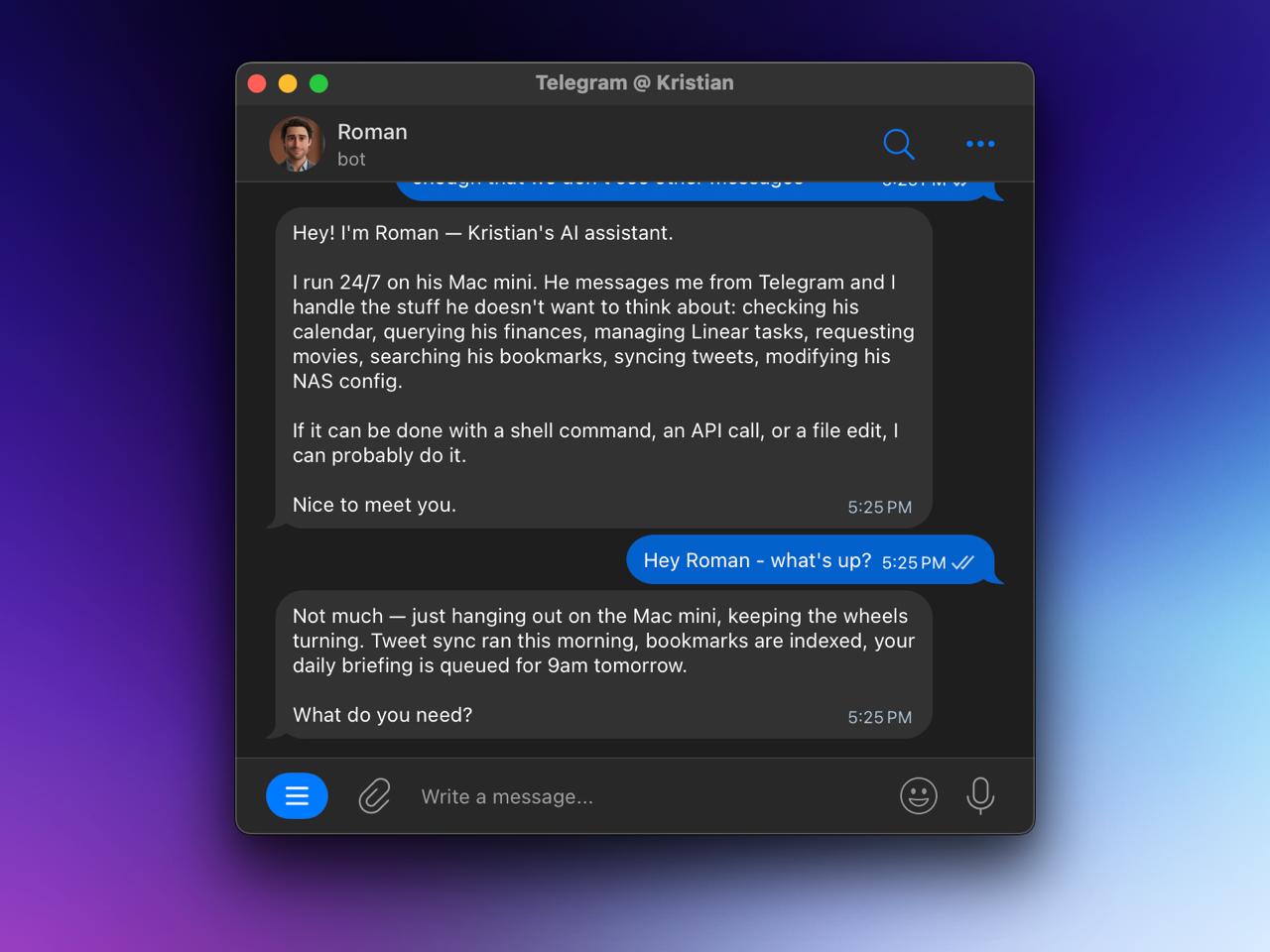
OpenClaw lets me message an AI from Telegram and have it do stuff for me. Not “here’s some information” stuff — actual stuff. Running shell commands, querying my finances, managing my task list, requesting movies for my media server.
I’ve been running OpenClaw on my Mac mini since mid-January and it’s become one of those tools I forget isn’t normal. I named mine Roman.
What OpenClaw is
OpenClaw is a gateway between messaging apps and AI agents. You text it, it runs an agent with access to your systems — shell, files, browser, APIs, whatever you hook up. I use Telegram, but OpenClaw supports WhatsApp, Discord, iMessage, others.
The Mac mini M4 runs 24/7 on my Tailscale network. I can message OpenClaw from my phone, my laptop, wherever. Same context, same capabilities.
For models: MiniMax-M2.1 handles general chat (fast, cheap), but OpenClaw escalates to Claude Opus when I need code written or debugged. I’m on the Claude Max plan ($200/mo) which gives me heavy Opus usage without worrying about API costs.
OpenClaw skills I use
The magic is in “skills” — markdown files that teach OpenClaw how to use specific tools. Here’s what I’ve got running:
Finances. I do plain-text accounting with hledger. The skill knows my journal files and how to query them. “How much did I spend on food last month?” — it runs the right hledger command, gives me a number. ~7,800 transactions going back to mid-2023, all queryable via text message.
Linear. My task management lives in Linear. “What’s on my plate this week?” pulls my assigned issues sorted by priority. I can create tasks, update status, search across projects — all from Telegram.
NixOS NAS. My home server runs NixOS. The skill knows the config structure and can SSH in. “Add a new Podman container for X” — it edits the Nix config, commits, runs nixos-rebuild. I’ve modified my server config from my phone while walking around.
Jellyseerr. Media requests. “Add the new Lanthimos movie” — searches, finds it, submits the request. Shows up in my library once Radarr grabs it. Stupid simple.
X Bookmarks. I bookmark way too much on Twitter. Health stuff, AI papers, programming tips. The skill has a DuckDB database with embeddings — 512+ bookmarks with vector search. “What did I bookmark about sleep optimization?” actually works.
Tweets. Stores my past tweets (1200+), analyzes what performs well, hooks into Typefully for drafting. Syncs daily.
Skill Creator. Meta, but useful. When I need a new OpenClaw integration, I describe what I want and it scaffolds the skill structure. Saves me from writing boilerplate every time I want to add something.
OpenClaw automations
Daily briefing. Every morning at 9am, OpenClaw sends me a Telegram message with today’s calendar (pulled from macOS Calendar via icalBuddy), my open Linear tasks sorted by priority, and anything else that needs attention. Nice way to start the day without opening five apps.
Tweet sync. Daily job pulls my latest tweets and appends them to an ndjson file.
Bookmark sync. Hourly job fetches new X bookmarks, generates embeddings, updates the search index.
Real examples from this week
- “Sync my tweets”
- “How much have I spent on rideshares this month?”
- “What’s the status of the Containers launch tasks?”
- “Request Bugonia on Jellyseerr”
- “Check my bookmarks for anything about sauna protocols”
Responses come back like any other text. I’m on my phone, I ask a question, I get an answer. Sometimes that answer is “done, I pushed the changes to git.”
What makes OpenClaw useful
Memory. There’s a memory system where OpenClaw stores facts, preferences, decisions. It knows my account structures, project names, common queries. I don’t re-explain context every time.
Action. OpenClaw doesn’t just answer questions. It runs commands, edits files, hits APIs, pushes to git. “Ship it” means it actually ships.
Composable. Each skill is a markdown file. Want to add a new API? Write instructions in a markdown file. Want to share it? Copy the file.
What I’m adding next
- Email triage (summarize what needs attention, draft responses) — in progress
- Content capture (tweet something good → auto-draft a blog post expansion)
- Health logging (workouts, supplements, sleep scores via message)
OpenClaw setup
curl -fsSL https://openclaw.ai/install.sh | bash
openclaw onboard --install-daemon
The wizard sets up auth, channels, and optionally installs OpenClaw as a background service. Then:
openclaw gateway status
openclaw status
Docs: docs.openclaw.ai
Source: github.com/openclawai/openclaw
I’ll update this as the setup evolves. The goal is an assistant that handles the boring operational stuff so I can focus on the interesting work. So far, it’s working.